One workshop for making games.
Playtests, bug reports, tasks, code, and your AI chats in one desktop app that lives on your own PC. No account. No subscription.
Windows, 64-bit / Godot, Unity, Unreal Engine, GameMaker, CRYENGINE
Press F7.
Follow the bug.
This game has bugs. Something goes wrong in it every few seconds. Catch one with F7 and see what Forge does with it.
What went wrong?
Screenshot attachedThe key glows when something’s broken. Press it here, or hit F7 on your keyboard.
- No reports yet
Assay gets the report, with the screenshot of what you caught.
Backlog 0
- No cards yet
Anvil turns it into a card on the board, next to the work you’d planned.
Gauge keeps count, so you always know where the playtest stands.
It works the same way in your own game. With Forge Link installed, whoever is playing presses one key and types what happened. The report shows up with a screenshot, the scene, where the player was standing, and the last few lines of the log. From there, Chisel opens the exact line of code behind the error, and the fixed task goes back to Assay to be tested again.
Five tools.
Now one.
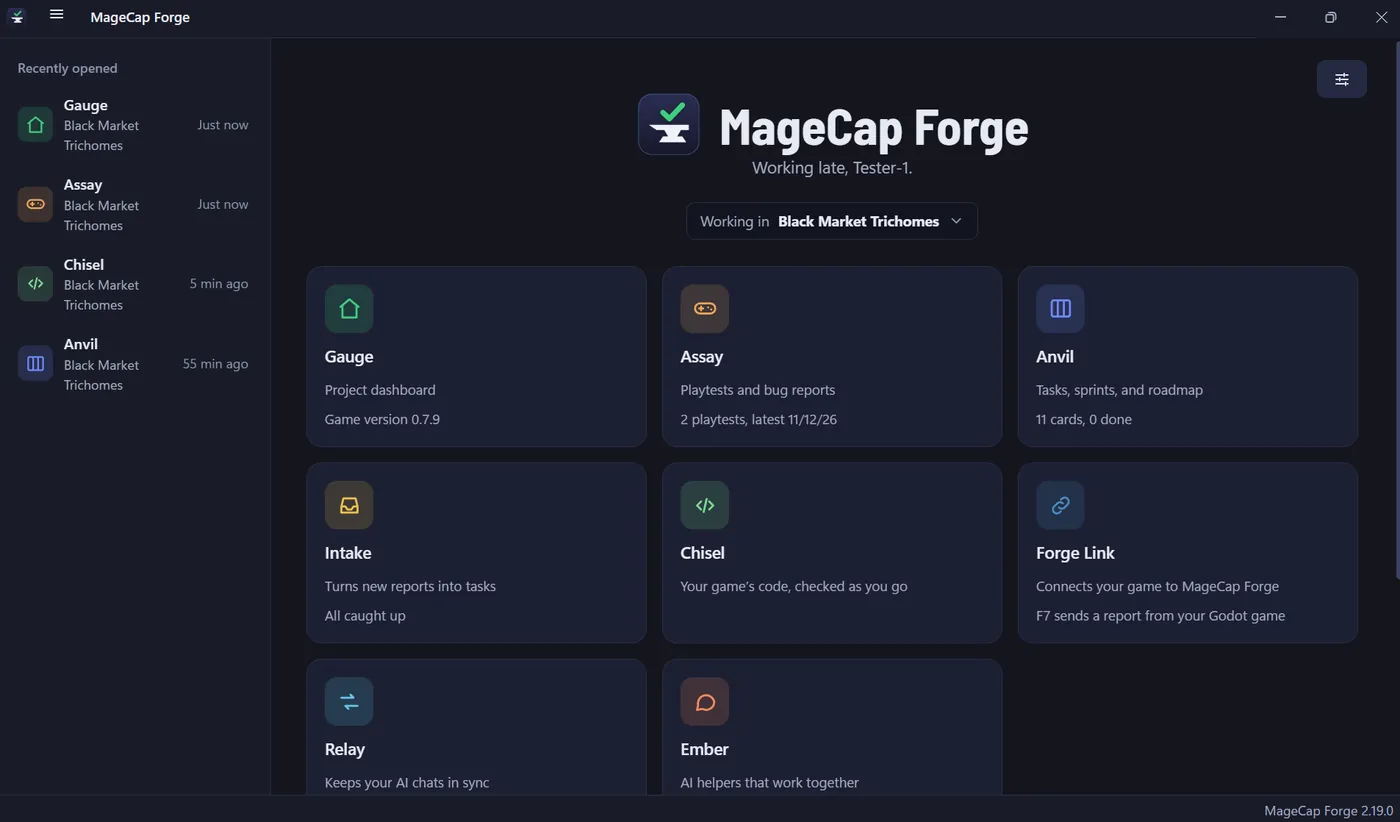
Most of us end up with a bug tracker, a task board, something for screenshots, something else for video, and a document that tries to remember what each AI chat was told. None of them talk to each other. In Forge they’re one app, sharing one project.
A bug trackernow AssayA task boardnow AnvilA screenshot toolnow Capture and Etch, inside AssayA screen recordernow CaptureNotes on what each AI chat knowsnow Relay
One app. One project folder.
What’s inside
Every part of Forge is named after something in a blacksmith’s shop, and each one has a single job. These are real screens from version 2.19.
More to come
- Whetstone
- A code helper for Chisel. It explains errors in plain English and gives hints before answers. It works without AI.
- Folio
- Design documents, with links to anything in your project.
- Alloy
- Tables for items, enemies, and levels, exported straight to your engine.
- Crucible
- Whiteboards, moodboards, and diagrams.
- Filigree
- Branching dialogue and story.
- Mac and Linux
- Forge is Windows only today. Both are planned.
Bring your engine
You pick an engine when you start a project, and Forge Link has an add-on for each of these. The handbook walks through the setup for every one, step by step.
- Godot
- Unity
- Unreal Engine
- GameMaker
- CRYENGINE
Built your own engine, or using one that isn’t here? Forge Link also takes a report as one simple web request, and Chisel opens any folder of code, from Pygame to Rust to Lua.
Pay once.
Keep it.
Software used to come in a box. You bought it, took it home, and it was yours. Forge works the same way, minus the box.
- No account and no monthly fee. You pay once. It keeps working whether or not you ever pay again.
- It runs on your PC, not on a website. Nothing leaves your computer unless you connect something yourself.
- Your projects are plain folders. Open them in File Explorer, back them up, or commit them to Git. You can read them without Forge.
- AI is optional. Every app works without it. If you do use it, you bring your own key, and it’s stored encrypted on your PC.
- Updates are built in. Forge checks for a new version, asks first, then installs it.
The price goes to $99 when Forge reaches its full release. For Windows, 64-bit.

MageCap Forge
One workshop for making games.
Ron, MageCap GamesI’ve been making indie games for more than twenty years, and I’ve watched games and the tech behind them grow up since the 80s and 90s. I still love all of it.
Forge started as a small app I wrote for myself, because I wanted my playtest reports written the same way every time. It kept growing. Now it does the jobs I used to need five programs for, and nobody bills me every month to keep using it. That’s the deal I wanted, so that’s the deal you get.